Roku-only app · iPhone & iPad

Roku App Won't Connect? Find Out Which of Four Things Is Wrong.

When a Roku app cannot find your TV on the same Wi-Fi, one of four things is wrong, in this order: the phone is on cellular rather than Wi-Fi; iOS has Local Network access switched off for the app (Settings, Apps, Remote for Roku, Local Network); the network blocks devices from seeing each other, which guest, hotel and many mesh networks do; or the Roku itself is off, in deep standby, or on a different network than the phone. Check them in that order. If nothing else works, read the TV's address under Settings, Network, About on the Roku and enter it in Auxility Remote with Connect by IP, which skips the search altogether.

Same Wi-Fi and still no TV in the list is the most common complaint about every Roku remote app. The causes are few and each shows itself differently; entering the TV's IP skips the search entirely, and version 1.0.4 of the app, prepared for release, names the cause on screen.

Download Free App
No 2-tap paywalls · No credit card · Basic controls free forever
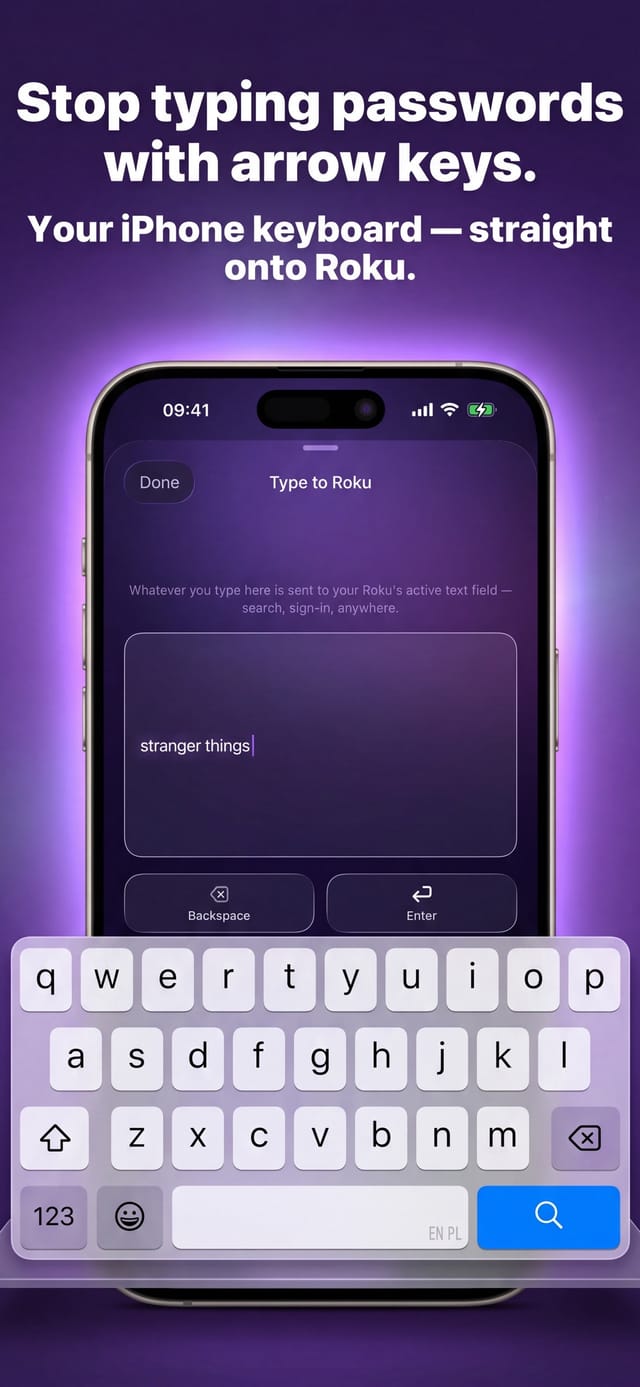
Auxility Remote for Roku TV — typing into a Roku search field from the iPhone keyboard

Free

Core controls

No pairing

Same Wi-Fi is enough

Which app this guide is for

This guide is for Auxility Remote for Roku TV, the Roku-only app by Auxility. It is not the universal app: My Universal TV Remote Control covers every TV brand in the house, Roku included, but keeps to the basics on Roku. Roku-deep features such as phone-keyboard typing into Roku search, voice search, Apple Watch control and the remote finder belong to the Roku app. For the universal angle, see Roku TV remote guides for the universal app and its free Roku remote app page.

Across 90 days of empty searches in Auxility Remote, the split is not what the forums suggest: about 43% found other devices on the Wi-Fi but no Roku, meaning the TV was off, asleep or on another network; roughly 26 to 28% were iOS Local Network permission being off; 19% found nothing at all on the network, the signature of a guest network or router isolation; and 16% were a phone that was not on Wi-Fi. Pairing codes do not appear in that list because a phone remote has nothing to pair; a Roku that is reachable simply shows up.

Diagnosis

What the empty list means, by what the app saw

The app decides between these in a fixed order: connection first, then the iOS permission, then what the network answered.

What the app foundMost likely causeWhat to do
The phone is not on Wi-FiCellular or Wi-Fi off. No search can reach a TV from mobile data.Join your home Wi-Fi and search again. The app will not count that search as a failure.
iOS Local Network access is offThe one-time iOS prompt was declined, or the switch was turned off later.Settings, Apps, Remote for Roku, Local Network, on. Then search again.
Nothing on the network answered at allGuest network, hotel Wi-Fi, or a router with client or AP isolation, which hide devices from each other.Put the phone and the Roku on the main home network, or turn client isolation off for it.
Other devices answered, but no RokuThe Roku is off, in deep standby, on another Wi-Fi name, or on a different band that your router keeps separate.Turn the TV on and wait for the Home screen; check Settings, Network, About on the TV and compare the network name with the phone's.
A Roku answered but refusedControl by mobile apps is Limited or Disabled on the TV.That is a TV setting, not a connection problem: see the Control by mobile apps guide.

Step by step

How to fix: Roku App Won't Connect

  1. Step 1

    Check the phone's connection first

    Open Wi-Fi settings on the iPhone and confirm it is joined to your home network, not cellular and not a guest network. Auxility Remote only searches over Wi-Fi; on cellular it says so instead of searching.

  2. Step 2

    Turn Local Network access on for the app

    iOS asks once, on first launch, whether the app may find devices on the local network. If that was declined, nothing will ever be found. Settings, Apps, Remote for Roku, Local Network: switch it on, then return to the app and search again.

  3. Step 3

    Wake the Roku and confirm its network

    A TV in deep standby leaves Wi-Fi; turn it on and wait for the Home screen. Then open Settings, Network, About on the Roku: the network name there must match the phone's, and the address shown is what you will type if the search still fails.

  4. Step 4

    Rule out a network that hides devices

    Guest networks, hotel and dorm Wi-Fi, and routers with client isolation (sometimes called AP isolation) stop devices from seeing each other. Move both devices to the main home network, or switch isolation off for that network in the router's settings.

  5. Step 5

    Skip the search: connect by IP

    In the app's device list choose Connect by IP and type the address from Settings, Network, About. If the Roku then connects, the search itself was being blocked and the connection works; if it still fails, go back through steps 1 to 4 and the Control by mobile apps guide, because a refused or unreachable Roku fails the same way.

Why "same Wi-Fi" is sometimes not the same network

Many routers broadcast two or three networks under one name: a 2.4 GHz and a 5 GHz band, a guest network, sometimes a separate network per mesh node. Devices on two of them can share a name and still be unable to see each other, which is exactly the case a remote app runs into. The Roku's own screen settles it: Settings, Network, About shows the network name and the TV's address; on an ordinary home router (a 255.255.255.0 mask) the first three groups of that address match the phone's.

When they do not match, Connect by IP in the app is a quick test rather than a fix. If typing the TV's address connects, the search was being blocked and you can carry on. If it does not, the result is inconclusive on its own: recheck the Local Network permission, that the TV is on, network isolation, and Control by mobile apps before concluding the devices are on different networks.

The iOS permission that silently breaks every remote app

Since iOS 14, an app must be allowed to reach the local network, and iOS asks only once. Decline it, or turn it off later in Settings, and the app searches a network it is not allowed to see. iOS gives apps no way to read that switch, so an app can only notice a blocked attempt; version 1.0.4 of Auxility Remote, prepared for release, shows a dedicated card for that case.

Because this cause alone is about a quarter of all empty searches, it is worth checking before touching the router: Settings, Apps, Remote for Roku, Local Network. The official Roku app has the same switch under its own name and fails the same way without it.

What the app can and cannot see

Auxility Remote searches the network you are on, listens for any device that answers, and checks whether an answer came from a Roku. From those three facts it can tell apart a phone off Wi-Fi, a blocked permission, a silent network and a network that holds no Roku; version 1.0.4, prepared for release, gives each case its own advice instead of a generic try-again.

It cannot see a Roku on another network, cannot wake a TV that has left Wi-Fi in deep standby (Wake-on-LAN is a Pro feature and needs the TV to have been reachable before), and cannot work across the internet at all. The app is a local-network remote, and every cause on this page is local too.

Connection notes by setup

  • Roku TV in deep standby

    Roku TVs leave Wi-Fi after a period in standby and come back a few seconds after power-on. Turn the TV on with its panel button or the physical remote first; the app cannot reach a TV that is not on the network.

  • Mesh systems (eero, Nest Wifi, Orbi, Deco)

    Most keep one network name across nodes, but client isolation and separate guest networks are common defaults. Check the mesh app for an isolation or "devices can see each other" switch before blaming the TV.

  • Hotel, dorm and office Wi-Fi

    These almost always isolate devices from each other. A travel router that makes its own private network, with the Roku and the phone both on it, is the reliable way around; Roku's Hotel and Dorm Connect needs the physical remote.

  • Roku on Ethernet

    A Roku Ultra or a Roku TV with an Ethernet port can be wired while the phone is on Wi-Fi. That works as long as the router keeps wired and wireless devices on the same network, which most home routers do and many office ones do not.

Honest limits

Auxility Remote can only control a Roku that is on the same network as the phone and is willing to accept commands. It cannot put a Roku on Wi-Fi, cannot reach one on another network or over the internet, and cannot wake a TV that has dropped off the network. The per-cause advice described on this page is part of version 1.0.4, prepared for release and not yet in the App Store; the App Store version offers the same Connect by IP route and generic troubleshooting steps, and the checks on this page work the same with it.
Technical reference

How the app decides which cause you have

The order of checks and the evidence behind each verdict, measured over 90 days of empty searches.

Technical detail for this guide. You never need any of it to use the app; it is published so the page can be checked against the real behaviour of the device.
Detail Value
Order of the verdict Connection first (is the phone on Wi-Fi), then the iOS Local Network permission, then what the network answered. A dropped Wi-Fi or a denied permission always wins over older evidence.
"No Roku on this network" Other devices answered the search but none was a Roku: about 43% of empty searches. The TV is off, on another network, or behind a guest network.
"Your network may be blocking discovery" The permission is granted, the phone is on Wi-Fi, and not one device answered: about 19%. Guest networks and client or AP isolation.
Local Network access denied About 26 to 28% of empty searches. iOS offers no way to read the switch, so the app detects it by a blocked attempt.
Phone not on Wi-Fi About 16%. Such searches are shown as a Wi-Fi problem and are not counted as failed searches.
Manual address entry Connect by IP takes the address from Settings, Network, About on the TV. A failure is inconclusive by itself: it can be a refused Roku, a sleeping TV or isolation as much as a different network, so the other checks still apply.

Compatibility: Every Roku reachable on the local network: Roku TVs (TCL, Hisense, onn., Philips, RCA, Sharp, Westinghouse), Streaming Stick, Express, Ultra, Streambar.

Frequently asked questions

Roku App Won't Connect: questions people ask

My phone and Roku are on the same Wi-Fi. Why can't the app find the TV?

Four causes cover almost every case: the phone is actually on cellular, iOS Local Network access is off for the app, the network isolates devices from each other (guest, hotel or mesh settings), or the Roku is asleep or on a different band or network name. Check the Roku's Settings, Network, About screen and compare it with the phone; if the names match and the search still fails, enter the TV's address with Connect by IP.

Where is the Local Network permission for a Roku remote app on iPhone?

Settings, then Apps, then the app's name (Remote for Roku), then Local Network. iOS asks once at first launch and never again, so a declined prompt looks like a permanently broken app. Switch it on and search again; no app can read this switch directly.

Does the app work on hotel Wi-Fi?

Usually not, and not because of the app: hotel and dorm networks isolate every device from every other, so the phone cannot see the Roku. A travel router that creates your own private network for both devices is the dependable answer. Roku's own Hotel and Dorm Connect feature needs the physical remote and does not work with phone apps.

What is Connect by IP and when should I use it?

It lets you type the Roku's address instead of searching for it. Read the address on the TV under Settings, Network, About, choose Connect by IP in the app's device list and enter it. Use it when the search keeps coming back empty on a network you cannot change; if even the typed address fails, the cause is still one of the four on this page or a TV that refuses apps, not proof of different networks.

Can the app wake a Roku that has gone to sleep?

Only if the Roku stayed on the network. A Roku TV in deep standby leaves Wi-Fi and cannot be reached by any app until it is turned on with the physical remote or the button on the TV. Wake-on-LAN, a Pro feature, works on Roku TVs that keep listening on the network and does nothing for one that has fully disconnected.

More Roku app guides

All Roku app guides → · More on roku.auxility.ca →

Free download

Take control of your Roku in seconds.

Auxility Remote replaces the remote over Wi-Fi the moment your iPhone joins the same network. No pairing code, no account, no original remote needed.

Download Free App
No 2-tap paywalls · No credit card · Basic controls free forever

An independent app by Auxility, Inc. Not affiliated with, endorsed by, or sponsored by Roku, Inc. Roku is a trademark of Roku, Inc., used only to indicate device compatibility.