Roku-only app · iPhone & iPad

Roku Off Wi-Fi and No Remote: The Circular Problem, Solved Honestly.

A phone remote app, including Auxility Remote, cannot connect a Roku to Wi-Fi when the TV is not on any network yet: the app talks to the Roku over the network, so until the Roku is on one there is nothing to talk to. Three routes break the circle. Wire the Roku with an Ethernet cable if it has a port (Roku Ultra and many Roku TVs do), after which the app controls it and can type the Wi-Fi password. Or recreate the network the Roku last knew: start a hotspot on one phone with exactly the old network name and password, let the Roku join it, then run the remote app on a second phone joined to that hotspot and use it to pick the real Wi-Fi in Settings, Network. The panel buttons on a Roku TV switch power and input only; they cannot open the network menu, so they are not a route.

A phone remote needs the Roku on a network, and joining a network needs a remote. Three ways out exist; the first needs a cable, the second needs two phones, and none of them is the phone app alone.

Download Free App
No 2-tap paywalls · No credit card · Basic controls free forever
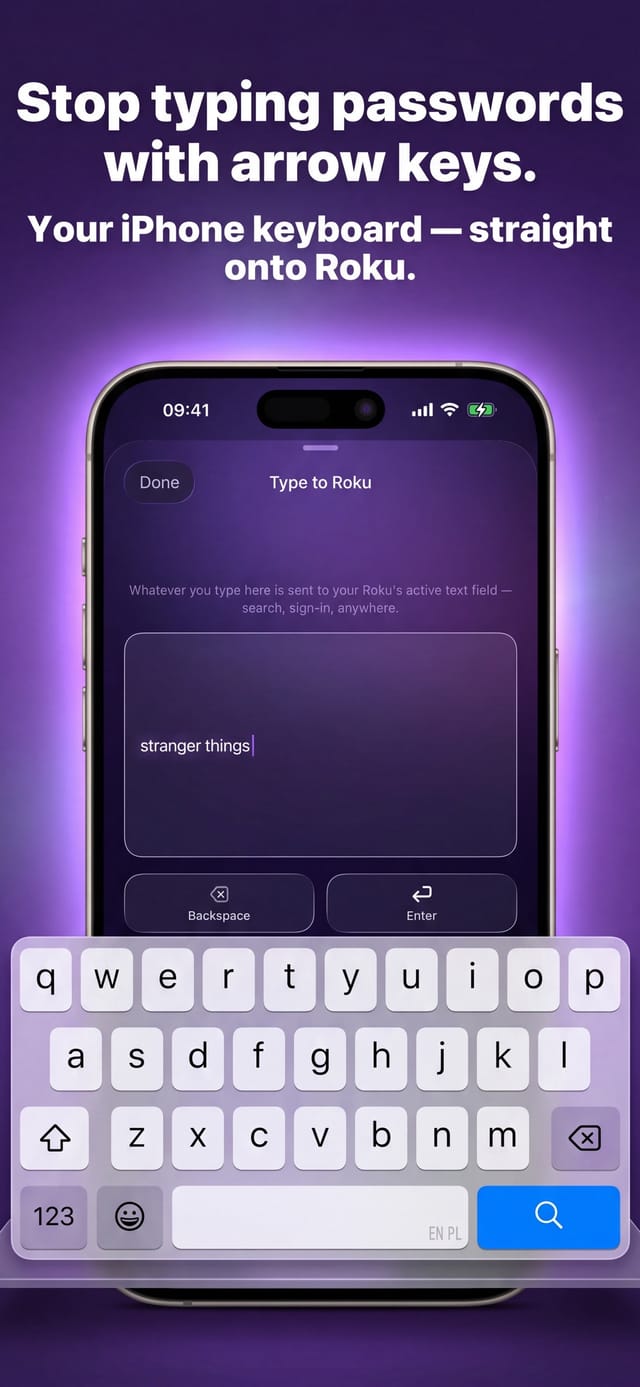
Auxility Remote for Roku TV — typing into a Roku search field from the iPhone keyboard

Free

Core controls

No pairing

Same Wi-Fi is enough

Which app this guide is for

This guide is for Auxility Remote for Roku TV, the Roku-only app by Auxility. It is not the universal app: My Universal TV Remote Control covers every TV brand in the house, Roku included, but keeps to the basics on Roku. Roku-deep features such as phone-keyboard typing into Roku search, voice search, Apple Watch control and the remote finder belong to the Roku app. For the universal angle, see Roku TV remote guides for the universal app and its free Roku remote app page.

The honest shape of this problem: the phone app is the second step, never the first. Every guide that says "just use the Roku app" skips the part where the Roku has to be reachable. What the app genuinely adds once a route gets the Roku onto any network is the keyboard: typing a long Wi-Fi password from the iPhone instead of spelling it with a directional pad, and switching the TV from the temporary hotspot to the real network without the physical remote ever turning up.

Diagnosis

The routes, what they need and what they get you

Ranked by how often they work. The first two end with the Roku on your real Wi-Fi and the phone as its remote.

RouteWhat you needWhat it gets you
Ethernet cableA Roku with an Ethernet port (Roku Ultra, many Roku TVs; sticks and Express players have none) and a cable to the router.The Roku is on the network at once; the app connects and can type the Wi-Fi password in Settings, Network if you want to go wireless again.
Hotspot with the old network nameTwo phones. One creates a hotspot named exactly like the Wi-Fi the Roku last used, same password, same capitalisation. The Roku reconnects to it as if nothing changed.The second phone joins the hotspot, runs Auxility Remote, and uses it to choose the real Wi-Fi and type its password. Then the hotspot can go.
Buy or borrow a Roku remoteA Roku voice remote pairs with its pairing button, or with Back and Home held for about five seconds on remotes without one; a plain infrared remote works instantly on players and TVs that accept it.Full control, including the network menu. The slowest route, and the one Roku's own support recommends for setup.
Panel buttons on a Roku TVA Roku TV; sticks and players have no buttons.Power and input only (Roku TV user guide). No layout opens Settings or types a password, so this is not a route to Wi-Fi.

Step by step

How to fix: Roku Off Wi-Fi, No Remote

  1. Step 1

    Check whether the Roku has an Ethernet port

    Look at the back of a Roku TV or a Roku Ultra for a network socket. If it is there, a cable to the router ends the problem in a minute: the Roku comes online, Auxility Remote finds it, and the full remote is in your hand.

  2. Step 2

    Otherwise, recreate the old network on a phone

    On a phone that will not be the remote, open Personal Hotspot and set the hotspot name and password to exactly what the Roku's previous Wi-Fi was called. Capitalisation and spacing matter. Turn the hotspot on and power the Roku on; a Roku that remembers that network joins it on its own.

  3. Step 3

    Join the hotspot with the second phone and open the app

    On the second iPhone join the hotspot, then open Auxility Remote. The Roku appears in the device list because both are now on the same small network; tap it and you have the remote.

  4. Step 4

    Move the Roku to the real Wi-Fi from the app

    Use the app's arrows to open Settings, Network, Set up connection, Wireless on the Roku, choose the real home network and type its password from the iPhone keyboard. The Roku switches networks; join the same Wi-Fi with the phone and the app reconnects there.

  5. Step 5

    If the hotspot route is unavailable, get a remote

    One phone, a Roku with no Ethernet port and no memory of a network you can imitate: that combination has no app-only answer. A Roku voice remote pairs by holding the pairing button under the battery cover or on its back, or, on remotes without one, by holding Back and Home for about five seconds; a basic infrared remote needs nothing but line of sight.

Why the hotspot trick works, and when it does not

A Roku stores the networks it has joined and reconnects to a known name and password without being asked. A phone hotspot that uses that same name and password is, from the Roku's point of view, the old network back again. That is the whole trick, and it is why the name has to match character for character; a typo creates a network the Roku has never heard of.

It fails when the Roku has been factory reset (no stored networks), when the old password is unknown, or when the hotspot phone is also the only phone in the house, because the phone that provides the hotspot cannot at the same time join it. Some guides report that newer iPhones restrict hotspot names; if the name cannot be set exactly, use another phone or a laptop as the hotspot.

What the panel buttons on a Roku TV can and cannot do

Roku documents four button layouts on Roku TVs: a single button, three buttons, a joystick, and a labelled column with an input key. Roku's user guide assigns all of them to power, volume and input selection, not to menu navigation, and none of them types a password. The panel is for turning the set on and picking an input; the network menu needs a remote or the app.

Streaming Sticks, Express players and Streambars have no panel buttons at all. For those, the cable route or the hotspot route are the only ones that avoid a remote.

Where Auxility Remote fits, honestly

The app does nothing until the Roku is on a network the phone can also join. Once it is, the app replaces the remote fully: directional pad, OK, Home, Back, playback, volume, and the iPhone keyboard for the password field. It is the second half of every route above, not a route by itself.

The app also cannot see a Roku on a different network or across the internet, so a Roku left on the hotspot after the hotspot phone leaves the house is unreachable again until the networks match. Finish the move to the real Wi-Fi before closing the hotspot.

By device

  • Roku Ultra

    Has an Ethernet port and a lost-remote finder button on the player. The cable route is the fastest; the finder helps only if the remote is in the room, not gone.

  • Roku TV (TCL, Hisense, onn., Philips, RCA, Sharp, Westinghouse)

    Most have an Ethernet port on the back; the panel buttons do power and input only. Check the port first; it beats every other route.

  • Roku Streaming Stick, Express, Streambar

    No Ethernet port, no panel buttons. The hotspot route with two phones, or a replacement remote, are the options.

  • Roku that was factory reset

    Nothing stored, so the hotspot trick cannot work. A reset Roku runs guided setup, which needs a remote; the app joins in once the Roku is on Wi-Fi.

What no app can do here

Auxility Remote cannot connect a Roku to Wi-Fi from the outside, cannot reach a Roku on a different network, and cannot replace the remote during guided setup after a factory reset. Every route on this page gets the Roku onto a network some other way first; the app's part is everything after that, including typing the password you would otherwise spell with arrows.
Technical reference

The routes: the technical picture

Why each route works, stated plainly so the steps above stay short.

Technical detail for this guide. You never need any of it to use the app; it is published so the page can be checked against the real behaviour of the device.
Detail Value
Why a phone app cannot be the first step The app sends commands to the Roku over the local network. A Roku with no network connection has no address to send to.
Why the hotspot name must match exactly The Roku reconnects automatically only to a network whose name and password equal a stored one; the match is character for character, including case and spaces.
Why two phones The phone that provides a hotspot is not a client of it. A second device, phone or laptop, has to join the hotspot to run the remote.
Ethernet Roku Ultra and most Roku TVs have a wired port; Streaming Sticks, Express players and Streambars do not. A wired Roku and a Wi-Fi phone see each other on an ordinary home router.
Panel buttons Four documented Roku TV layouts (single, three-button, joystick, labelled column), all for power, volume and input per Roku's user guide; none navigates Settings or types text.

Compatibility: Roku TVs (TCL, Hisense, onn., Philips, RCA, Sharp, Westinghouse), Streaming Stick, Express, Ultra, Streambar.

Frequently asked questions

Roku Off Wi-Fi, No Remote: questions people ask

Can the Roku app connect my TV to Wi-Fi if I lost the remote?

Not by itself. Every phone app, including Auxility Remote and Roku's own, talks to the TV over the network, so the TV has to be on one first. Get it there with an Ethernet cable, or with a hotspot named like the old Wi-Fi and a second phone; after that the app is the remote and types the new password for you.

How does the hotspot trick work with one phone?

It does not. The phone that creates the hotspot cannot join it, so you need a second phone, a tablet or a laptop to join the hotspot and run the remote app. With one device in the house, the cable route or a replacement remote are the options.

Do the buttons on my Roku TV let me open the Wi-Fi menu?

No. Roku's user guide assigns all four panel layouts (single button, three buttons, joystick, labelled column) to power, volume and input, not to Settings, and none types a password. Sticks and players have no buttons at all.

Will a factory-reset Roku reconnect to a hotspot with the old name?

No. A reset wipes stored networks, and the Roku starts guided setup, which needs a remote. The hotspot trick only works for a Roku that still remembers the network you are imitating.

Which Roku devices have an Ethernet port?

Roku Ultra and most Roku TVs. Streaming Sticks, Express players and Streambars have none. Check the back of the device: a wired connection is the one route that needs neither a remote nor a second phone.

More Roku app guides

All Roku app guides → · More on roku.auxility.ca →

Free download

Take control of your Roku in seconds.

Auxility Remote replaces the remote over Wi-Fi the moment your iPhone joins the same network. No pairing code, no account, no original remote needed.

Download Free App
No 2-tap paywalls · No credit card · Basic controls free forever

An independent app by Auxility, Inc. Not affiliated with, endorsed by, or sponsored by Roku, Inc. Roku is a trademark of Roku, Inc., used only to indicate device compatibility.